

Disclosure: This article may contain affiliate links. If you purchase through one of these links, we may earn a commission at no extra cost to you. Recommendations are based on practical usefulness, not commission rates.
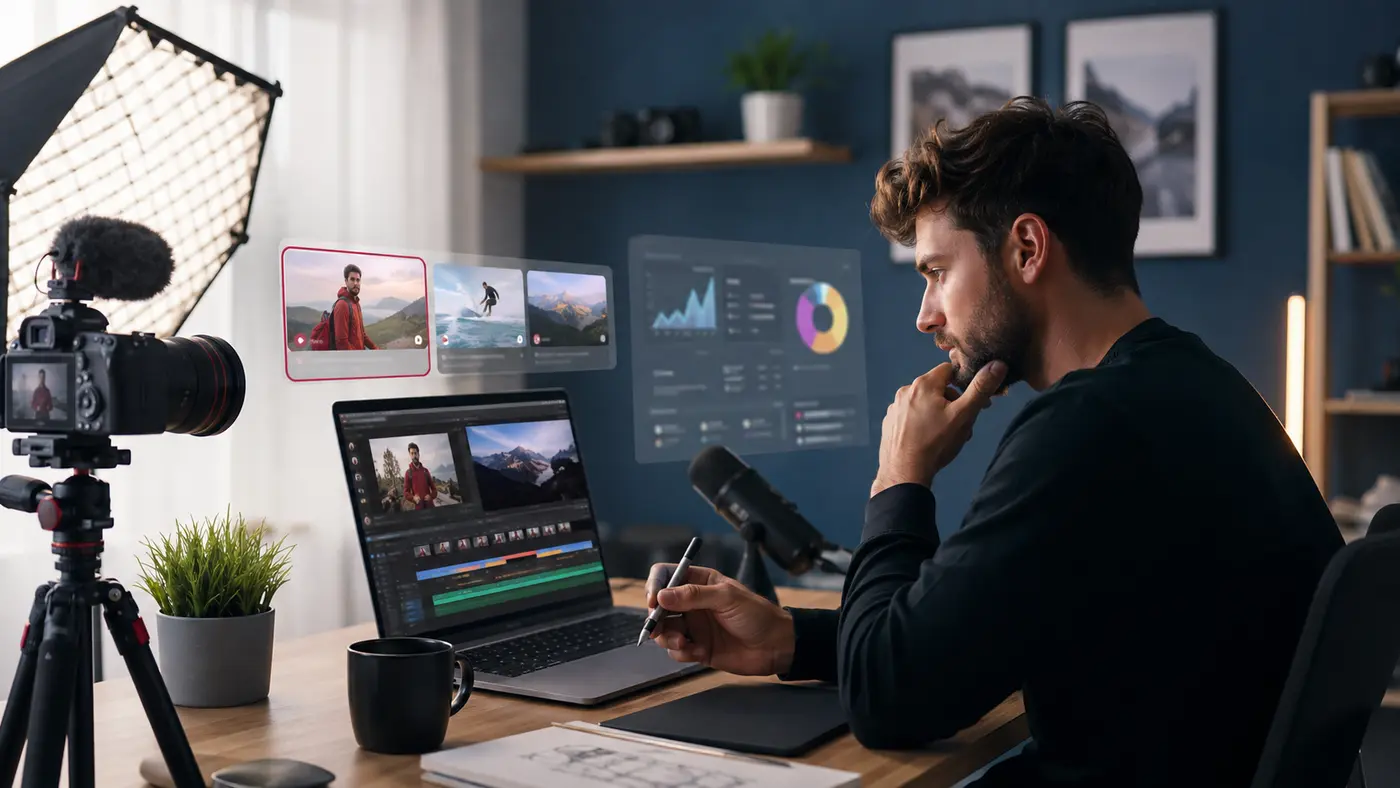
Creating a successful YouTube video involves more than pressing Record. A creator must research a useful topic, write a clear script, record good audio, design a thumbnail, edit the video, and study the results. The right AI tools for YouTube creators can make parts of that process faster without replacing the creator’s experience, judgment, or personality.
This 2026 guide compares seven tools for planning, voiceovers, editing, visuals, thumbnails, keyword research, and testing. It also shows a simple workflow you can use whether you appear on camera or run a faceless channel.
Best AI Tools for YouTube Creators: Quick Answer
- ChatGPT: Best for ideas, outlines, scripts, titles, and repurposing
- Descript: Best for editing talking-head videos through text
- ElevenLabs: Best for natural-sounding AI voiceovers
- Midjourney: Best for custom concept art and visual inspiration
- Canva AI: Best for thumbnails, banners, and channel graphics
- vidIQ: Best for channel-specific ideas and keyword research
- TubeBuddy: Best for YouTube SEO research and structured testing
AI Tools for YouTubers Compared
| Tool | Best for | Useful output | Important limitation |
|---|---|---|---|
| ChatGPT | Planning and writing | Ideas, hooks, scripts | Facts and claims need verification |
| Descript | Video and podcast editing | Text-based edits, captions | Usage limits vary by plan |
| ElevenLabs | Voiceovers | Narration in multiple voices | Consent and disclosure still matter |
| Midjourney | Custom imagery | Concept art and visual assets | Not a guarantee of exclusive rights |
| Canva AI | Thumbnail design | Thumbnails, banners, graphics | Templates require customization |
| vidIQ | Ideas and research | Keywords, topic ideas, channel insights | Scores do not predict success |
| TubeBuddy | Optimization and testing | Search research and A/B tests | Some useful features are paid |
Note: Features, free-plan limits, and prices change. Check each official website before subscribing.
Why YouTube Creators Use AI in 2026
Faster Pre-Production
AI can turn one broad topic into audience questions, video angles, an outline, and a first-draft script. The creator should add original examples and verify every factual claim.
More Consistent Production
Templates, batch scripting, transcription, and automated captions reduce repetitive work. Consistency helps only when videos still solve a real viewer problem.
Better Experiments
Research tools help creators compare keywords and thumbnail ideas. YouTube Studio should remain the source of truth for click-through rate, audience retention, watch time, and returning viewers.
Support for Faceless Channels
AI voice and generated visuals can support faceless videos, but low-effort automation is not a content strategy. Original research, narration, editing, and a clear point of view create lasting value.
1. ChatGPT — Best for YouTube Ideas and Scripts
ChatGPT can help brainstorm topics, organize research, write an outline, improve a hook, produce a shot list, and turn a long video into Shorts or community posts.
A strong prompt includes the niche, target viewer, promise, desired length, evidence, tone, and call to action.
You are helping me plan an eight-minute YouTube video for [audience] about [topic]. Give me three non-clickbait angles. For the best angle, write a 15-second hook, a section-by-section outline, suggested visuals, and a natural call to action. Mark every claim that needs fact-checking.
Do not publish the first draft unchanged. Add personal experience, remove generic phrases, confirm sources, and read the script aloud.
2. Descript — Best for Text-Based Video Editing
Descript transcribes recordings and lets creators edit audio or video by editing the transcript. It can also help remove filler words, improve spoken audio, and generate captions.
It works especially well for tutorials, interviews, commentary, podcasts, and talking-head videos. Always review the transcript because names, accents, and specialist terms may be transcribed incorrectly.
3. ElevenLabs — Best for AI Voiceovers
ElevenLabs creates synthetic speech for narration, multilingual content, and accessibility workflows. It is useful for creators who do not want to record every voiceover themselves.
Use only voices you are permitted to use. Do not imitate a real person without authorization, and listen for incorrect pronunciation before publishing. If synthetic audio makes a real person appear to say something they did not say, YouTube may require disclosure.
4. Midjourney — Best for Custom Concept Art
Midjourney can produce visual concepts, backgrounds, story illustrations, and thumbnail inspiration from text prompts. It is useful when stock photography cannot express a specific idea.
Generated does not automatically mean copyright-free, exclusive, accurate, or safe for every commercial use. Review the platform’s current terms and avoid protected characters, celebrity likenesses, and misleading imagery.
5. Canva AI — Best for YouTube Thumbnails and Branding
Canva combines templates, image tools, text, brand assets, and AI-assisted features in one beginner-friendly editor. Creators can make thumbnails, channel banners, end-screen graphics, and social promotions.
A strong thumbnail communicates one idea at phone size. Use one focal subject, clear contrast, minimal wording, and visual consistency. Customize templates so your channel does not look identical to many others.
For more creation options, see our guide to AI tools for content creators.
6. vidIQ — Best for Ideas and Keyword Research
vidIQ offers YouTube-focused tools for topic ideas, keyword research, channel insights, titles, and optimization. Its Daily Ideas feature is designed to suggest topics based on a creator’s niche and channel signals.
Use its suggestions as research inputs, not promises of views. Compare an idea with YouTube autocomplete, competitor coverage, your audience questions, and your own analytics before producing it.
7. TubeBuddy — Best for SEO Research and Testing
TubeBuddy provides YouTube workflow, search-research, optimization, and testing features. Its Search Explorer can help assess keyword opportunities, while its A/B testing tools can compare creative variations on eligible plans.
YouTube Studio also provides a free Test & Compare option for thumbnails. Whichever tool you use, test one meaningful hypothesis at a time and judge results using sufficient data—not a few early impressions.
A Practical AI Workflow for YouTube Creators
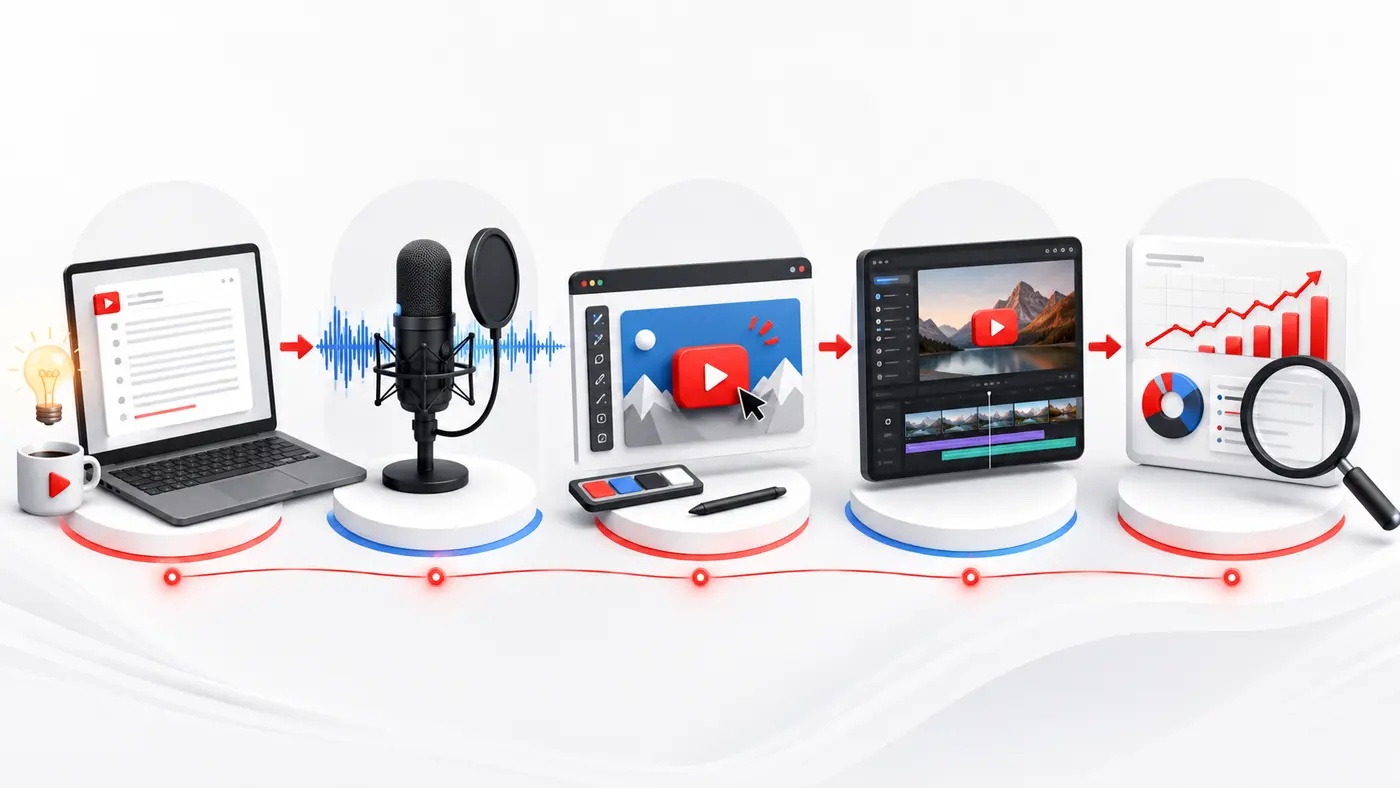
A simple workflow: plan, record, design, edit, then measure.
- Research and plan: Validate a viewer problem, then use ChatGPT plus vidIQ or TubeBuddy to develop an angle.
- Write and record: Draft the script, add your experience, verify claims, and use your voice or an authorized ElevenLabs voice.
- Create visuals: Build a thumbnail in Canva and use original, licensed, or properly reviewed generated imagery.
- Edit: Use Descript to tighten pacing, correct audio, and add accurate captions.
- Publish and learn: Review retention, click-through rate, watch time, comments, and returning viewers in YouTube Studio.
YouTube AI Disclosure and Safety
YouTube requires creators to disclose realistic content that has been meaningfully altered or synthetically generated when viewers could mistake it for a real person, place, scene, or event. According to YouTube’s official disclosure guidance, disclosure itself does not automatically restrict audience reach or monetization.
- Obtain permission before cloning or imitating someone’s voice or appearance.
- Disclose realistic synthetic or altered media when required.
- Verify facts, names, quotations, dates, and statistics.
- Use licensed music, footage, images, fonts, and other assets.
- Never present fabricated events or testimonials as real.
Common Mistakes to Avoid
- Publishing generic scripts: Add a defensible opinion, examples, and firsthand insight.
- Chasing keyword scores only: Viewer satisfaction matters more than inserting extra keywords.
- Overloading thumbnails: One clear promise usually works better than several small elements.
- Automating the whole channel: AI can accelerate production, but it cannot manufacture trust.
- Ignoring analytics: Use retention dips and comments to improve the next video.
Frequently Asked Questions
What is the best AI tool for a new YouTuber?
ChatGPT is a flexible starting point for ideas and scripts, while Canva is an accessible choice for thumbnails. Add a specialist tool only when a specific bottleneck appears.
Can AI create an entire YouTube video?
Several tools can combine scripts, voices, images, and edits, but a creator still needs to verify facts, secure rights, review quality, comply with disclosure rules, and provide original value.
Are AI-generated videos monetizable?
Using AI does not automatically make a video ineligible. Monetization depends on YouTube’s current policies and the channel’s overall compliance, originality, and value. Check official YouTube Partner Program guidance before relying on a format.
Should I use vidIQ and TubeBuddy together?
Most beginners need only one. Try their available features, compare the workflow with native YouTube Studio tools, and pay only if a feature solves a repeated problem.
Final Thoughts
The best AI stack is not the one with the most subscriptions. Start with ChatGPT for planning, Canva for thumbnails, and the editor you can use consistently. Add ElevenLabs, Midjourney, vidIQ, or TubeBuddy when your workflow genuinely needs them.
AI can help you create faster, but sustainable YouTube growth still comes from useful ideas, honest packaging, strong storytelling, continuous testing, and respect for the audience.