



Introduction
Artificial intelligence is no longer just a future concept—it is already a practical part of business operations across the United States. From small startups to Fortune 500 companies, AI software is changing how teams communicate, create content, analyze information, support customers, develop software, and automate routine work.
The right tool can help a business complete repetitive tasks faster and give employees more time for higher-value work. However, AI does not automatically reduce costs or improve quality. Poor implementation can create inaccurate content, privacy risks, duplicated subscriptions, and more work for the people expected to check its output.
This guide examines five major AI software companies to watch in the U.S. in 2026: OpenAI, Google DeepMind and Google’s Gemini ecosystem, Microsoft, Anthropic, and Adobe. It explains what each company offers, where its products fit, what selected business plans cost, and how a U.S. business can evaluate whether the investment is worthwhile.
If you run a smaller company and want tools selected by task rather than vendor, see our Best AI Tools for Small Businesses.
Quick Answer: Which AI Software Company Is Best?
There is no single best AI software company for every U.S. business.
- OpenAI is a strong general-purpose option for writing, research, analysis, coding, custom assistants, and API-based workflows.
- Google’s Gemini ecosystem is a natural fit for teams that already work in Gmail, Docs, Sheets, Drive, and Google Cloud.
- Microsoft AI is best positioned for organizations centered on Word, Excel, PowerPoint, Outlook, Teams, Dynamics, and Azure.
- Anthropic is a strong option for document-heavy knowledge work, coding, analysis, and organizations that prioritize enterprise controls.
- Adobe Firefly is designed for creative teams producing images, video, audio, and marketing assets inside Adobe workflows.
Choose according to the job, existing software, data requirements, and measurable business outcome—not brand popularity alone.
What Is AI Software?
AI software refers to applications and platforms that use technologies such as machine learning, natural-language processing, computer vision, and generative models to perform or assist with tasks that normally require human judgment.
Common Types of AI Software Used in the U.S.
- AI writing and content tools: blog drafts, marketing copy, emails, summaries, and editing
- AI automation tools: workflow automation, document processing, and task routing
- AI analytics tools: data exploration, forecasting, reporting, and anomaly detection
- AI customer-support tools: chatbots, agent assistance, knowledge search, and ticket summaries
- AI creative tools: image, video, audio, and design generation
- AI developer tools: code generation, testing, debugging, documentation, and application building
AI software is most useful when it supports a defined workflow. Buying an AI subscription without identifying the task, owner, data, review process, and success metric usually leads to weak adoption.

Why Are U.S. Companies Adopting More AI?
Automation and Efficiency
AI can handle parts of repetitive work, including classifying requests, summarizing meetings, drafting replies, extracting information from documents, and creating first drafts. Human review remains important whenever errors could affect customers, money, safety, employment, or legal obligations.
Cost Control
AI may reduce the time required for specific tasks, but a subscription is not the full cost. Businesses must also account for setup, integration, staff training, quality control, security review, and usage-based API charges. The right question is not “Is AI cheaper than an employee?” but “Does this tool improve the cost, speed, or quality of this specific workflow?”
Faster Decisions and Personalization
AI can help teams search large document collections, identify patterns, produce alternative scenarios, and personalize content. Its recommendations should be checked against reliable business data because confident output can still be wrong or incomplete.
Competitive Pressure
Companies are testing AI because customers increasingly expect faster service and employees want better tools. Early adoption is not automatically an advantage; disciplined adoption is. A smaller business with a clear process can gain more value than a larger company that deploys AI without ownership or measurement.
Top AI Software Companies in the United States
This is a practical, representative list rather than a ranking of every AI company operating in the U.S. The companies were selected for product breadth, business adoption, integrations, and relevance to common business workflows.
1. OpenAI
OpenAI develops general-purpose AI products for individuals, teams, enterprises, and software developers. Its best-known product is ChatGPT, while its API allows companies to add AI capabilities to their own applications and workflows.
What OpenAI Does
OpenAI’s products can assist with writing, summarization, research, data analysis, coding, image creation, internal knowledge work, and multi-step automation. The API is the more appropriate route when a company needs a custom customer-facing feature or an AI workflow inside its own software.
Main Products
- ChatGPT individual plans
- ChatGPT Business and Enterprise
- OpenAI API platform
- Developer and agent-building tools
Best For
- Startups and small businesses needing a broad assistant
- Marketing, operations, and knowledge-work teams
- Software developers building custom AI features
- Enterprises that need administration and business-data controls
Business Considerations
As of August 11, 2026, standard ChatGPT Business seats are listed at $25 per user per month when billed monthly or $20 per user per month when billed annually, with a two-seat minimum in most countries. Enterprise pricing requires contacting sales. API usage is billed separately according to the model and tokens or other resources consumed. Check OpenAI’s official business pricing before purchasing.
OpenAI states that it does not train its models on data from ChatGPT Business, Enterprise, or the API platform by default. Businesses should still configure access, retention, connectors, and internal usage rules before employees upload sensitive material; see OpenAI’s business-data privacy commitments.
Common U.S. Use Cases
- Drafting and editing business communication
- Customer-support assistance
- Software development and documentation
- Research and document summarization
- Internal assistants connected to approved company knowledge
2. Google DeepMind and the Gemini Ecosystem
Google DeepMind is Google’s AI research organization and develops model families including Gemini. It is important to distinguish the research organization from the business products customers buy: companies generally use Gemini through Google Workspace, Google Cloud, the Gemini app, or developer services.
What Google’s AI Ecosystem Does
Gemini supports multimodal work across text, images, audio, video, code, and documents. Google lists Gemini alongside other model families such as Veo and Lyria on its official Google DeepMind models page.
Best For
- Organizations already using Google Workspace
- Teams working heavily in Gmail, Docs, Sheets, Meet, and Drive
- Developers and data teams using Google Cloud
- Research and multimodal workflows
Key Strengths
- Integration with Google’s productivity and cloud ecosystem
- Multimodal model capabilities
- Enterprise administration through Google products
- Access to AI features within familiar work applications
Common U.S. Use Cases
- Drafting and summarizing in Workspace applications
- Meeting notes and follow-up assistance
- Document and spreadsheet analysis
- Cloud-based application development
- Research and large-information workflows
Do not choose Google solely because DeepMind produces advanced research. Evaluate the specific Google product, edition, usage limit, region, security controls, and integration your team will actually use.
3. Microsoft AI
Microsoft integrates AI across Microsoft 365, Azure, Dynamics, GitHub, security products, and its Copilot family. Its biggest advantage for many businesses is distribution: employees can use AI within software already embedded in daily work.
What Microsoft AI Does
Microsoft 365 Copilot supports work in Word, Excel, PowerPoint, Outlook, Teams, and other Microsoft applications. Azure provides services for building and managing custom AI solutions, while Microsoft also offers tools for creating agents and automations.
Best For
- Businesses already standardized on Microsoft 365
- Corporate and enterprise teams
- Organizations using Azure or Dynamics
- Teams that want AI inside existing office workflows
Business Considerations
Microsoft sells several Copilot combinations, so buyers must compare what is included rather than relying on one headline price. As of August 11, 2026, Microsoft lists Microsoft 365 Business Premium with Copilot at $32 per user per month with annual billing in the U.S.; monthly and no-Teams configurations have different prices. Confirm eligibility and current terms on Microsoft’s official Copilot business pricing page.
Common U.S. Use Cases
- Drafting documents and presentations
- Summarizing email and meetings
- Spreadsheet analysis
- Enterprise search and collaboration
- Cloud automation and custom business applications
Microsoft may offer the lowest adoption friction for an organization already paying for its ecosystem, but licensing complexity and permission management require careful review.
4. Anthropic
Anthropic develops the Claude family of AI assistants and models. The company emphasizes reliable, controllable systems and offers consumer, team, enterprise, and API products.
What Anthropic Does
Claude assists with analysis, writing, coding, document review, research, and other knowledge-work tasks. Business plans add collaboration, administration, security, and compliance-oriented controls.
Best For
- Document-heavy knowledge work
- Software development and code review
- Research, analysis, and business communication
- Organizations evaluating advanced administrative and security controls
Business Considerations
As of August 11, 2026, Anthropic lists standard Team seats at $25 per member per month when billed monthly or $20 when billed annually, with a two-member minimum. Premium and Enterprise pricing use different structures, so verify the plan and usage terms before comparing costs.
Anthropic states that inputs and outputs from its commercial products, including Team, Enterprise, and API offerings, are not used to train its models by default. This policy does not remove the customer’s responsibility to configure permissions and avoid sending data the business is not authorized to process. Review Anthropic’s official commercial-data training policy.
Common U.S. Use Cases
- Long-document analysis and synthesis
- Drafting policies and business communication
- Coding and technical documentation
- Internal knowledge assistance
- Research workflows with human verification
5. Adobe Firefly
Adobe integrates generative AI into its creative ecosystem through Firefly and Creative Cloud applications. It is aimed primarily at creative production rather than serving as a general business chatbot.
What Adobe Firefly Does
Firefly supports image, video, audio, and design workflows, with features also integrated into products such as Photoshop, Illustrator, and Adobe Express.
Best For
- Graphic designers and creative teams
- Marketing departments and agencies
- Social-media content creators
- Businesses already using Creative Cloud
Business Considerations
As of August 11, 2026, Adobe lists a limited free tier and individual Firefly paid plans beginning at $9.99 per month. Credits, model access, promotional offers, and included applications vary by plan, so use Adobe’s official Firefly plan comparison rather than relying on an old price list.
Adobe says outputs from Firefly features without a beta label can be used commercially, subject to its terms. Commercial use does not guarantee that every generated asset is legally risk-free; teams must still check prompts, source material, trademarks, likeness rights, and the final output.
Common U.S. Use Cases
- Marketing images and campaign variations
- Concept development
- Image editing and expansion
- Social-media assets
- Creative production inside Adobe applications
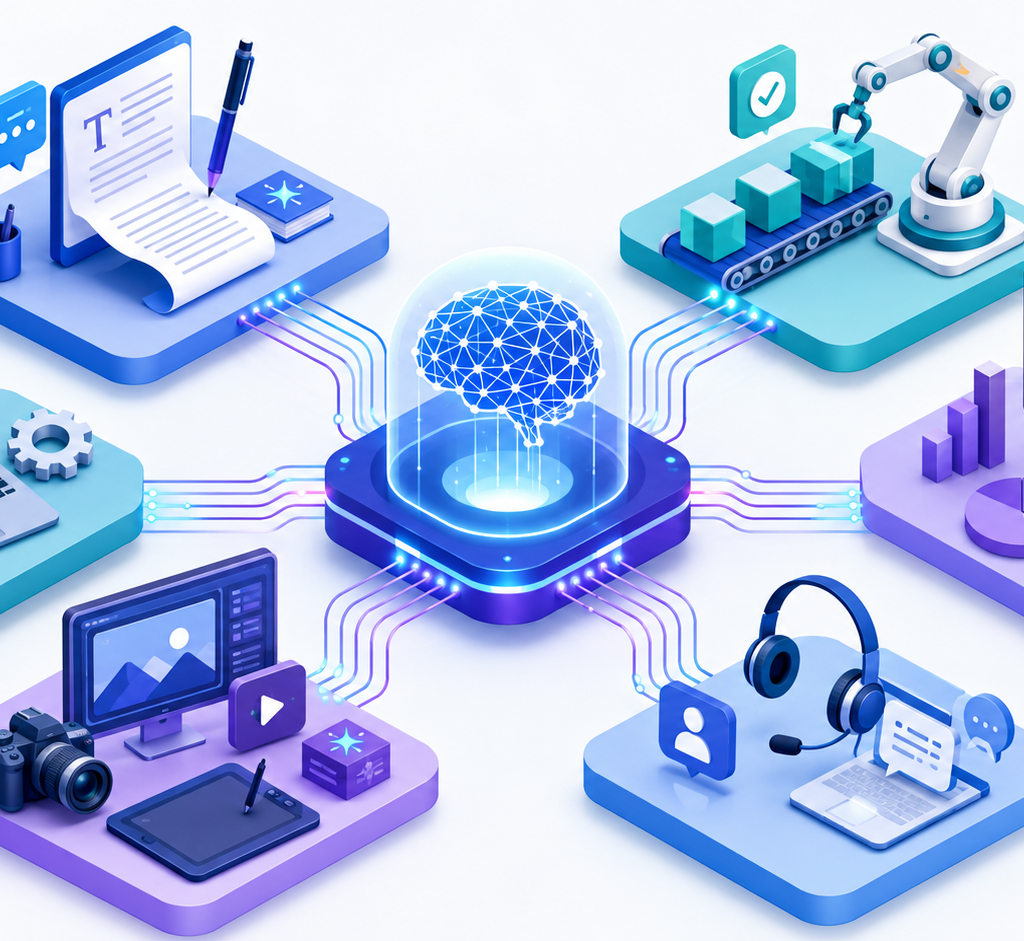
AI Software Company Comparison
| Company/ecosystem | Strongest fit | Main access route | Important limitation to check |
|---|---|---|---|
| OpenAI | Broad general-purpose work and custom AI applications | ChatGPT and API | Usage limits, API costs, and connector permissions |
| Workspace, cloud, and multimodal workflows | Google Workspace, Gemini, and Google Cloud | Product editions and limits vary | |
| Microsoft | Microsoft-centered business operations | Microsoft 365 Copilot, Azure, and related products | Licensing and permissions can be complex |
| Anthropic | Analysis, documents, coding, and knowledge work | Claude Team, Enterprise, and API | Plan and usage structure must be compared carefully |
| Adobe | Creative and marketing production | Firefly and Creative Cloud | Credits, beta status, and asset rights require review |
OpenAI vs. Microsoft AI
OpenAI is often easier to evaluate as a broad standalone assistant or developer platform. Microsoft is often a better operational fit when a company’s documents, email, meetings, identity, and permissions already live in Microsoft 365 and Azure. The correct choice depends more on integration and governance than on which model performs better in one demo.
OpenAI vs. Anthropic
Both companies provide general-purpose assistants and APIs. OpenAI offers a broad product ecosystem, while Anthropic is frequently evaluated for document work, coding, and enterprise controls. Test both on the same representative tasks using the same quality and cost rubric before choosing.
Adobe Firefly vs. Canva AI
Adobe Firefly is a stronger fit for teams working inside professional Creative Cloud workflows. Canva can be easier for non-designers producing quick brand and social assets. This is not a direct model-to-model comparison: buyers should compare the complete editing workflow, collaboration needs, templates, asset licensing, and total subscription cost.
AI Software Pricing in the U.S.
AI pricing varies by product, number of users, billing cycle, model, usage volume, storage, administrative controls, and contract. A realistic budget should include more than the subscription.
Costs to Include
- User subscriptions
- API or credit-based usage
- Implementation and integration
- Staff training
- Security and legal review
- Human quality control
- Data preparation and maintenance
- Switching or cancellation costs
The prices in this article are selected examples verified on August 11, 2026—not universal market ranges. Always check the official vendor page and calculate the annual cost for the number of users who genuinely need access.
Free vs. Paid AI Software
A free plan is usually enough for initial testing with non-sensitive, low-risk tasks. It may not provide the usage capacity, administration, support, integrations, or business-data controls required for a company-wide deployment.
A paid business plan becomes more reasonable when a team needs shared administration, higher limits, approved connectors, centralized billing, stronger access controls, or contractual business terms. Do not upgrade the whole company at once. Begin with a small group whose work can be measured.
How to Choose the Right AI Software Company
1. Define One Business Problem
Choose a narrow task, such as reducing the time required to summarize support tickets or create first drafts of product descriptions. “Use AI across the company” is not a measurable objective.
2. Document the Current Baseline
Record the current time, cost, error rate, output volume, and approval process. Without a baseline, the company cannot calculate whether AI created value.
3. Check Integration Fit
List the systems involved: email, documents, CRM, customer support, cloud storage, analytics, or code repositories. A slightly less capable tool that integrates safely may deliver more value than a powerful standalone tool.
4. Review Data and Compliance Requirements
Determine what data employees may enter, where it is processed, how long it is retained, who can access it, and whether the vendor’s contract supports your legal or industry requirements. Do not assume the consumer and business versions have identical data controls.
5. Compare Total Cost
Include seats, API usage, implementation, training, and review time. Avoid paying for every employee before the pilot proves that they need regular access.
6. Run the Same Test With Two or Three Vendors
Use representative tasks and a written scoring system. Compare accuracy, completion time, ease of use, integrations, security, and cost. Do not judge a tool only from a vendor demonstration.
7. Assign a Human Owner
Every production workflow needs someone responsible for prompts, source data, review standards, failures, access, and periodic re-evaluation.
A Practical 30-Day AI Pilot
- Week 1 — Select the workflow: Define the task, baseline, owner, approved data, and success metric.
- Week 2 — Test safely: Give a small group access and use historical or low-risk examples first.
- Week 3 — Compare output: Measure time saved, corrections required, completion rate, and employee feedback.
- Week 4 — Decide: Expand, revise, or stop the pilot based on evidence. Document the final process and review rules.
Useful metrics include minutes saved per task, percentage of outputs accepted after review, error severity, monthly usage per employee, cost per completed task, and customer or staff satisfaction where appropriate.

Privacy, Security, Copyright, and Compliance
An AI vendor’s security page is only the beginning of due diligence. Before deployment, a U.S. business should answer these questions:
- Are prompts or outputs used for model training by default on this exact plan?
- What retention settings are available?
- Can administrators enforce single sign-on, role-based access, and user removal?
- Which third-party connectors can access company information?
- Where is data processed, and what contract terms apply?
- Can employees upload customer data, contracts, health information, source code, or unpublished financial information?
- Who checks output for factual, legal, brand, and copyright risk?
Never paste passwords, private keys, payment-card data, or unapproved confidential information into an AI tool. Treat AI output as a draft until a qualified person verifies it. Generated content may also resemble existing material, misuse a person’s likeness, or include a trademark, so commercial publication needs a final rights and brand review.
Pros and Cons of AI Software
Pros
- Faster first drafts, summaries, and routine analysis
- Scalable assistance during periods of high workload
- Better access to information when connected to approved sources
- New creative and prototyping options
- Potential reductions in task time and operating cost
Cons
- Confident but inaccurate output
- Subscription, API, setup, and review costs
- Privacy, security, and intellectual-property risks
- Dependence on vendor pricing and product changes
- Training and change-management requirements
- Automation bias, where employees trust output without checking it
Realistic Use Cases for U.S. Businesses
Small Businesses
A small business can use an assistant to draft customer replies, summarize notes, create a first version of a marketing calendar, or organize frequently asked questions. The owner should approve anything sent to customers.
Startups
Startups can use APIs and assistants for coding support, documentation, research, sales preparation, and internal operations. Production features need testing, monitoring, fallback behavior, and budget limits.
Marketing Agencies
Agencies can create briefs, campaign variations, outlines, and initial creative concepts more quickly. Human strategy, brand judgment, fact-checking, and client approval remain essential.
E-commerce Companies
E-commerce teams can draft product descriptions, categorize catalog data, analyze support themes, and create campaign variations. See our guide to AI tools for e-commerce for task-specific options.
Remote Teams
Remote teams can summarize meetings, extract action items, search internal knowledge, and prepare project updates. Permissions must prevent an assistant from exposing information to the wrong employee or group.
Common AI Adoption Mistakes
- Buying licenses before defining a workflow
- Sending sensitive information through an unapproved account
- Measuring output volume instead of business value
- Publishing generated content without review
- Using several overlapping subscriptions
- Automating a broken process instead of fixing it first
- Ignoring employee training and responsibility
- Assuming a vendor’s model or price will remain unchanged
Is AI Software Worth It for U.S. Businesses?
AI software is worth the investment when it improves a defined process enough to exceed its full cost and risk. That conclusion cannot be made for “most businesses” without measurement.
A useful calculation is:
Monthly value = verified labor time saved + additional gross profit + avoided costs − subscriptions − API usage − implementation − review and correction costs
Start with one low-risk, high-frequency workflow. If a tool produces accurate work, employees use it consistently, and the measured value exceeds the total cost, expand gradually. If it creates more corrections or risk than value, revise the workflow or cancel it.
Frequently Asked Questions
Is AI software safe for U.S. businesses?
It can be used safely, but no tool is automatically safe for every type of data or industry. Review the exact plan’s training, retention, access, connector, compliance, and contract terms. Establish an internal policy and require human review for high-impact work.
Are free AI tools enough for a small business?
Free plans are useful for testing low-risk tasks. A paid business plan may be necessary when a company needs higher limits, team administration, business-data protections, integrations, centralized billing, or vendor support.
How quickly can a business see results?
A narrow workflow can often be tested within a few weeks, but the result should be measured against a baseline. A fast demonstration is not proof of lasting ROI or safe company-wide adoption.
Can a small business afford AI software?
Often yes, but affordability depends on the number of paid users, API consumption, setup work, and review time. Give access first to employees with a frequent, measurable use case rather than purchasing licenses for everyone.
Which AI company is best for Microsoft or Google users?
Microsoft-centered teams should test Microsoft 365 Copilot because of its native application and permission integrations. Google Workspace teams should test Gemini within the Workspace editions available to them. Both should still be compared with a general-purpose assistant on the company’s real tasks.
Can a business trust AI-generated answers?
Not without verification. AI can produce incorrect facts, calculations, citations, or interpretations. Use authoritative source material and require a person with relevant knowledge to review important output.
Final Verdict
OpenAI, Google, Microsoft, Anthropic, and Adobe are important AI software companies and ecosystems to watch in the United States in 2026, but they solve different problems. OpenAI and Anthropic offer broad assistants and developer platforms; Google and Microsoft bring AI into established productivity and cloud ecosystems; Adobe focuses on creative production.
The best AI software is the one that fits a clearly defined workflow, integrates with the systems your team already uses, protects the data involved, and produces measurable value after all costs are included. Start small, compare vendors on the same task, keep human review in the process, and expand only when the evidence supports it.