
What Is ConvertKit?
ConvertKit is an email marketing tool that enables you to build an email list and connect with your subscribers.
In this ConvertKit review, I show you how to send broadcast emails to your entire list, send automated email sequences, and convert your subscribers into buyers.
And that is all on autopilot. I have been using ConvertKit since 2017, and I was able to make $50,000 in revenue from it! In this post, I will show you exactly what I did to achieve that!
Start With Convertkit For Free
What I like about ConvertKit is that you can start for free! This enables you to expand your email list and familiarize yourself with ConvertKit’s interface.
If you are keen to learn from scratch how to work with ConvertKit, you can do that over here! Or watch this YouTube tutorial.
Start With ConvertKit for Free
You can have up to 1,000 subscribers in your ConvertKit account without paying a single dime or even leaving your credit card details. So there is no risk!
I have to say that the free version is limited in comparison with the pro version. With the free version, you can.
- Create Opt-In Forms
- Get 1,000 subscribers
- Send broadcast emails
For a free tool, that is amazing! When you like the service and you get more than 1,000 subscribers, you can upgrade.
Convertkit Pricing
Before we talk about all the features the pro version contains, let’s talk about pricing! There are 2 Pro plans, and the price is based on the number of subscribers you have on your list.

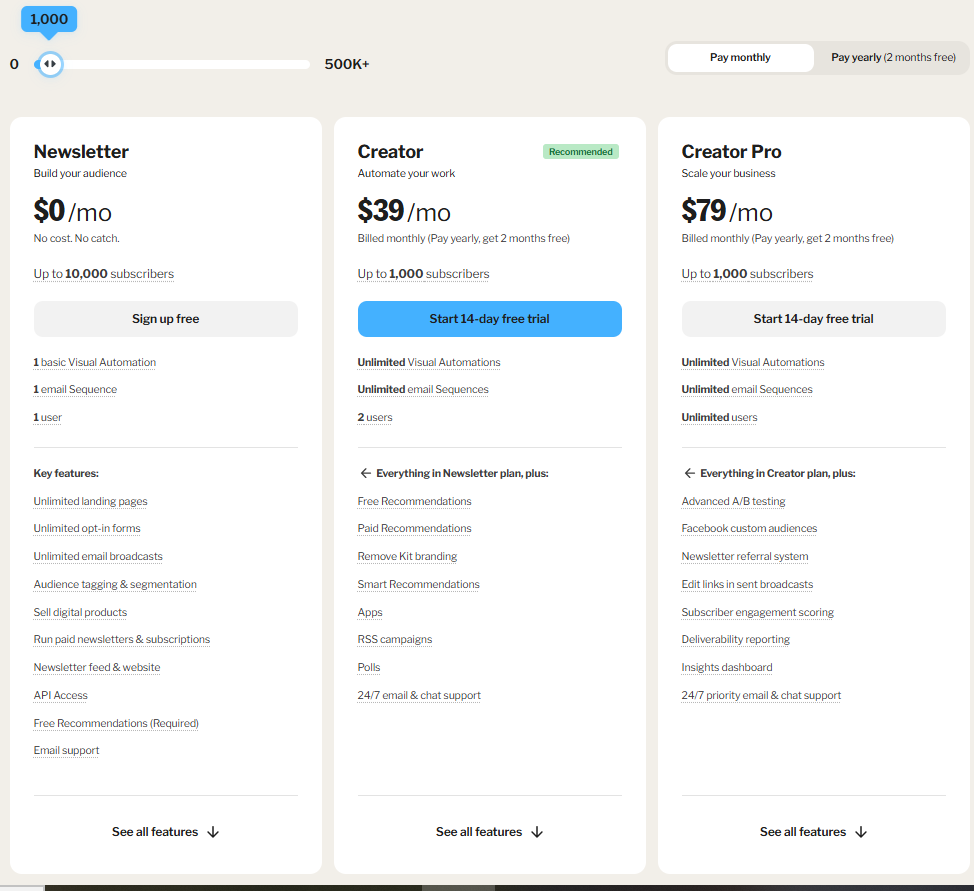
The Creator Plan | Starting at $29 per month
With the creator plan, you have all the functionalities to automate and grow your email list. The difference from the free plan is that you can send automated sequences. That’s a fantastic way to monetize your list on Autopilot and, at the same time, help your subscribers. The $29 per month is for a maximum of 1,000 subscribers. This amount is applied when you decide to pay per month instead of per year. When you pay per year, you get two months for free. When you grow bigger, you will automatically be charged with the new pricing.
Here is an overview of the pricing plans when you get the Creator Plan:
| Number of Subscribers | Price Per Month |
|---|---|
| 1,000 | $29 |
| 3,000 | $49 |
| 5,000 | $79 |
| 10,000 | $119 |
| 15,000 | $149 |
| 25,000 | $199 |
| 45,000 | $319 |
Over here, you can see all the plans and the pricing
Convertkit Creator Pro Plan | Starts at $59 per month
When you go for the Creator Pro plan at ConvertKit, you will be able to create custom Facebook Audiences, make use of the Referral System and Subscriber Scoring, and have access to advanced reports. The Creator Pro is for people that make use of Facebook Ads. This review will cover all these features in detail.
Which ConvertKit Plan Is Best for You?
When you don’t want to start with automated sequences (that means that you will send automated emails a few hours or days after someone subscribes), you can start with the free plan. When you grow over 1,000 subscribers or use automated sequences, you can upgrade to the Pro plan. When you start advertising on Facebook, you can upgrade to the Creator Pro plan. I use the Pro plan, and I love it! So, let’s talk about how you can get started and what is possible with ConvertKit.
How To Get Started With Convertkit
Click here to go to ConvertKit and click on the green button, “Get Started For Free.” Answer the questions and create your login details without having to leave your credit card details.
Create a Landing Page
Now you are in your account. You have the option to view the instructional videos or initiate the process immediately. So we can create a form to embed in a website or create a landing page by clicking on “Create Landing Page.”
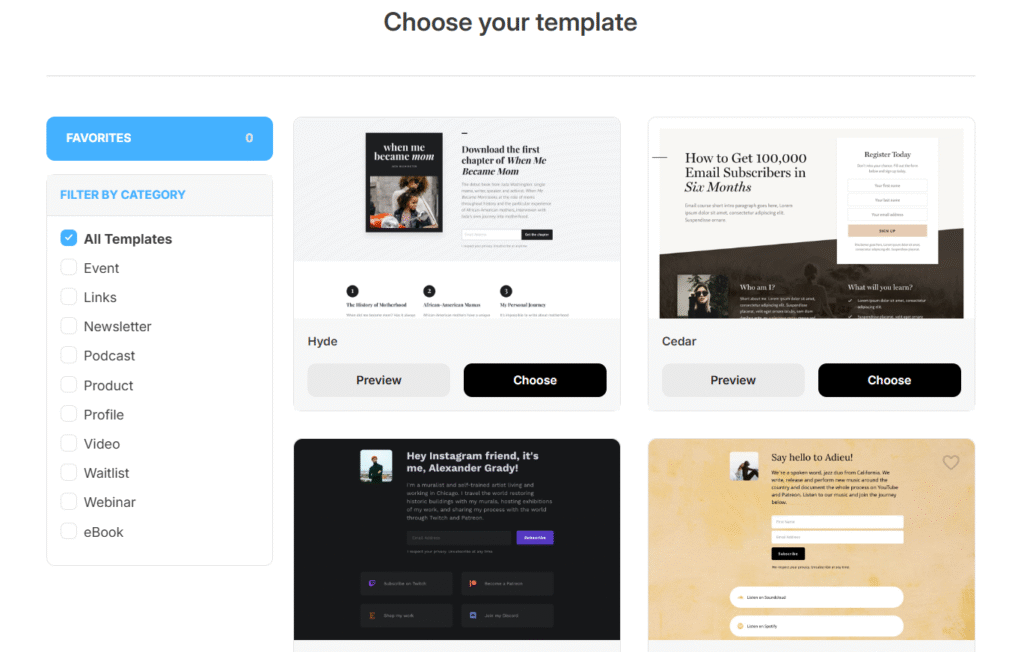
You can choose between multiple templates. It is a matter of changing. You can customize the images, colors, and input fields according to your preferences. For instance, first name and email.
Share Your Convertkit Landing Page
Now you can share your landing page anywhere on the internet. You can share it on WhatsApp, email it, post it on your site, or put it in your Instagram bio. And when people click on your link, they go to your landing page. When people decide to leave their name and email address, you have a new subscriber.
What Do You Have to Offer?
Why would people subscribe to you? You have to give them a reason. One can be that they will receive news updates about what you do—for instance, sharing updates on cryptocurrency or keeping people updated about your newest blog posts or vlogs.
Broadcast Emails
Now that your email list is growing, you can start sending broadcast emails and specify to whom you send them. Maybe you have multiple landing pages—one about cryptocurrency and one about stocks. You can decide that you only send a broadcast email to the crypto subscribers. ConvertKit’s free version allows you to accomplish all these tasks and manage up to 1,000 subscribers.
Free 14-Day Trial For Convertkit Pro
If you want to take it to the next level, you can upgrade your free ConvertKit plan to the Pro plan with a 14-day free trial. So now you have 14 days to grow your email list further without paying a single dime. If you do not cancel, after 14 days you will be charged for the first time.
Email Automation / Email Sequences
With ConvertKit Pro, you can send automated emails in a sequence. That means that when someone subscribes to your email list, you can decide to send them a personalized email (greeting them by their first name) after a few hours, a few days, or on a certain day of the week, and then send follow-up emails on autopilot based on your preferences.
I can decide that everybody who signs up gets an automated email the next Monday and from that moment on every day for 10 days, giving them value about the subject they are interested in. In one or more of the sequences of emails, I can start to promote a tool with an affiliate link, and in that way, every week people can buy one of my affiliate products on autopilot, as long as new subscribers are being added to my email list.
Automation Rules
With automation rules, you can help your subscriber to receive the right emails. If I have an email sequence with 10 emails trying to sell a course, and after 3 emails a subscriber decides to buy that course, the subscriber does not need to receive the other 7 emails. So I can create a rule that says that when a subscriber buys the course, he will be removed from that email sequence and added to a new email sequence that is created for people that enrolled in my course. That is the power of automation rules.
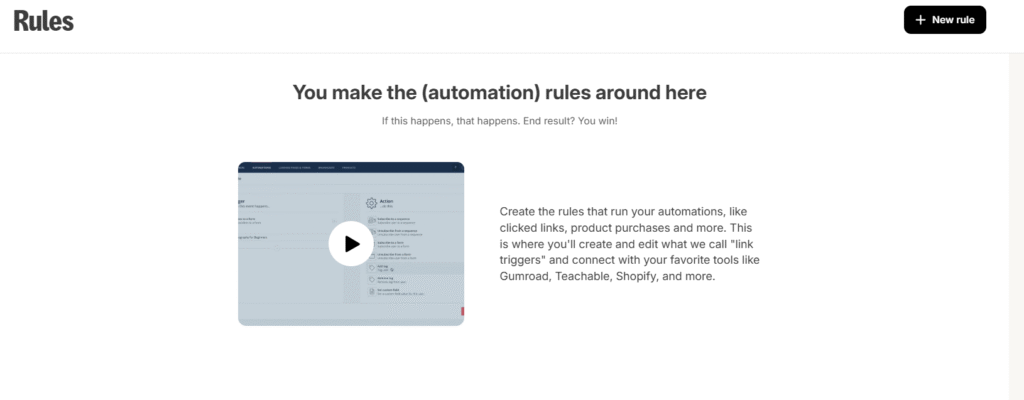
The automation rules have two things: 1. Triggers. 2. Actions. “When this event happens, what action should follow?”
With automation rules, we can
- Give people that click on a link in our emails, a certain tag and call that tag ‘interested.’
- Add people with a certain tag to an email sequence or remove them from an email sequence
- Add people that followed through a complete email sequence to another email sequence
With those tags, we can send a specific group of people an automated or a broadcast email.
Visual Automations
ConvertKit makes it even easier for you by creating visual automation. I must admit that it appears somewhat overwhelming at first and has, in my opinion, the steepest learning curve; however, it is also very powerful!